MyMeter
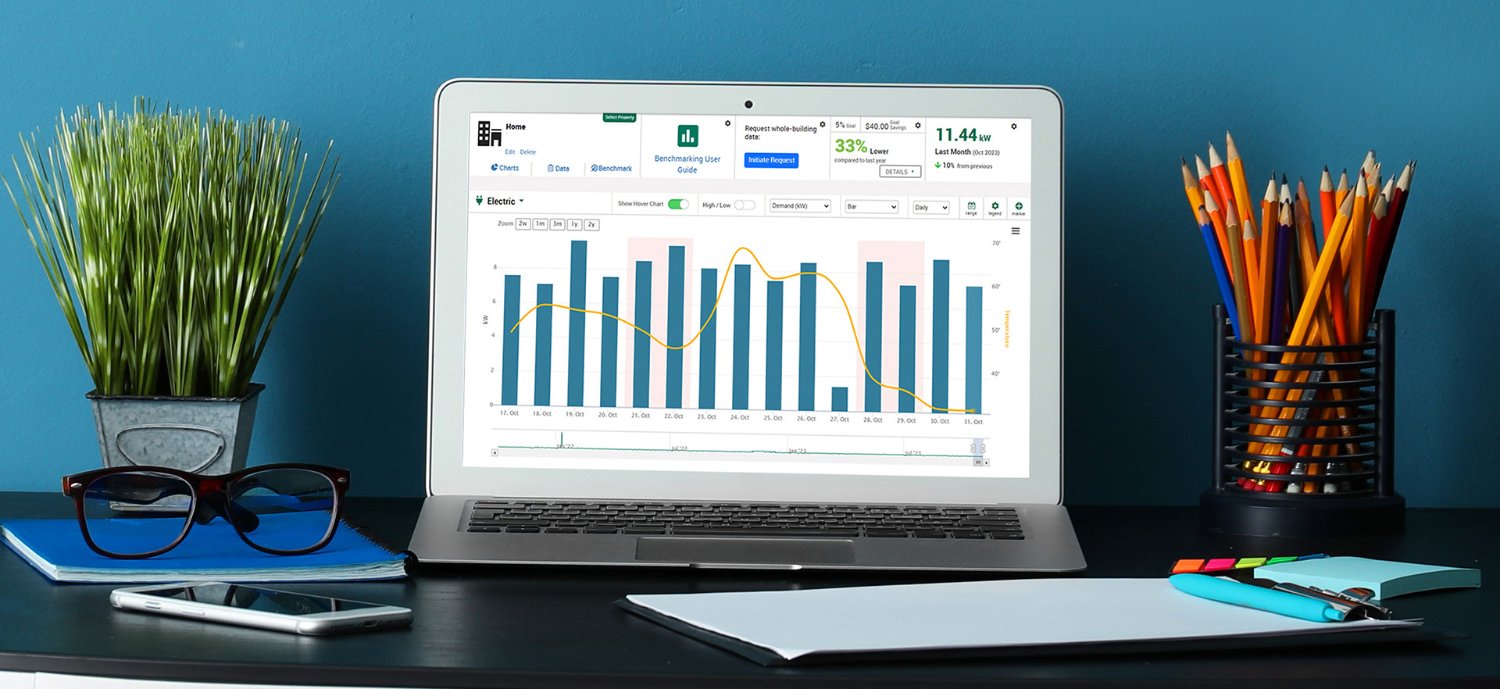
MyMeter is an online tool that provides MGE business customers with an energy dashboard to view their electric and natural gas usage data. It allows customers to monitor their energy use within a billing period to better understand their energy usage and set performance targets to reduce their usage and demand costs.
How to access MyMeter
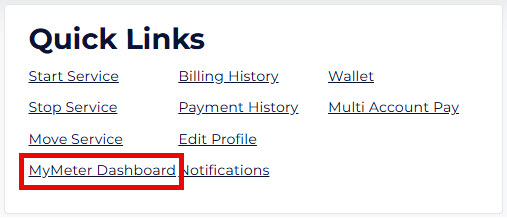
MyMeter is available to all business customers in My Account. After logging in, you'll see a link to MyMeter in the Quick Links section of your Dashboard page.
With MyMeter, businesses can:
- Set usage threshold alerts.
- Set energy markers to track performance pre- and post-event.
- Set and track monthly performance targets (for customers with AMI electric meters).
- Download energy data in an easy-to-use format.
- Perform energy benchmarking with ENERGY STAR® Portfolio Manager.
Exploring new ways to conserve energy through partnerships with our customers is one way MGE can meet our shared energy goals. MyMeter helps our customers be proactive in identifying ways to curb energy costs by having greater insight into their energy usage.
See our MyMeter Tutorials and Frequently Asked Questions below to get started. For specific questions, please reach out to your MGE Account Manager or email Business@mge.com.
MyMeter tutorials
Frequently Asked Questions
No. Only MGE business customers have access to MyMeter.
MyMeter is available in My Account for all MGE business customers. Business customers must have an active My Account user ID to use MyMeter.
After logging into My Account, you'll see the MyMeter link in the Quick Links section of your Dashboard page.
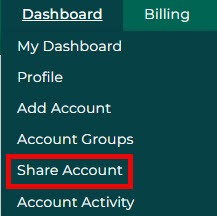
If you have multiple people who need to access your MGE energy usage information, you'll need to share your MGE account in My Account.
You can allow others access to your accounts by clicking “Share Account” in the Dashboard tab. Then enter the person’s name and email address and select the level of access you’d like them to have (Make Payments Only, Read Only or Full Access). You will need to complete this step for each account that you’d like to share with the user.
Yes. MGE is making MyMeter available to all business customers in an effort to assist with the City of Madison's energy benchmarking ordinance (Building Energy Savings Program). The MyMeter Dashboard offers automated ENERGY STAR benchmarking capabilities to help our customers meet those requirements.
See the MGE Benchmarking User Guide.
Yes! If you own a building but do not have a house meter on that building or if you are a third party performing benchmarking services on the owner's behalf, MyMeter allows an alternate option. Visit mymeter.mge.com and select the "Third-party service providers" button to request access. You'll be directed to complete a form requesting whole-building energy usage data access. After submitting the form, MGE will review your credentials and, if approved, grant benchmarking access to the service address(es) you listed.
Review the How to Bring in Tenant Data to Create a Whole-Building Benchmark (Whole-Building Path) tutorial video for instructions on how to use MyMeter to obtain tenant consent to access their energy usage data.
If your tenants do not respond to your request via MyMeter, an alternative option is to complete the Customer Authorization for Release of Information. Please email the completed authorization forms to Business@mge.com.
Please reach out to your MGE Account Manager or email Business@mge.com.
